

For over a decade, we’ve focused on one thing: making it easier to sell online. That focus runs through both our flagship products, Shoptimizer and CommerceKit, and it’s helped more than 60,000 store owners build faster, higher-converting WooCommerce stores.
But one problem kept coming up. Making a WooCommerce store genuinely fast meant installing and configuring a stack of separate plugins, plugins that conflict with each other when they aren’t carefully set up and, in the worst cases, break the checkout flow entirely.
Most performance plugins were built for WordPress blogs and brochure sites, with WooCommerce support tacked on as an afterthought. WooCommerce stores need a performance plugin built for how they actually work.
So we built CommerceGurus Turbo.
It’s currently in beta – stable and running on live WooCommerce stores today (including this one), with active development as we refine it based on real-world feedback.
What is CommerceGurus Turbo?

CommerceGurus Turbo is a performance optimization plugin built exclusively for WooCommerce stores. It combines seven modules into a single plugin with safe defaults that work the moment you activate it: page caching, CSS optimization, JavaScript optimization, lazy loading, preloading, Cloudflare edge caching, and image optimization.
You don’t need to deal with complicated setup, manage several subscriptions, or worry about which plugin might break your checkout.
At $59/year for a single domain license, CommerceGurus Turbo replaces a stack of tools that would cost significantly more and take far longer to set up. It’s built by the team behind Shoptimizer, a WooCommerce theme trusted by over 60,000 store owners.

The Problem with Generic Performance Plugins
Most WordPress caching plugins aren’t built for WooCommerce. They don’t realize that cart and checkout pages must never be cached or that payment scripts need to run right away. These plugins aren’t made for the dynamic way eCommerce stores work.
Some of the best WordPress caching plugins do include WooCommerce-specific features, but they were built as general-purpose tools first, with eCommerce support bolted on afterward, with default settings that aren’t tuned for stores. This leads to issues like cached checkout pages, broken payment scripts, and missed cache hits for ad traffic.
CommerceGurus Turbo is different:
- Built from day one for WooCommerce, not retrofitted.
- Safe defaults tuned for eCommerce, working the moment you activate.
- Checkout protected at every layer: cache, CDN, CSS, JS, and images.
- Cloudflare is set up automatically through the API, so you don’t have to do anything in the dashboard.
- You have one team with years of WooCommerce experience to help you if you need support.
Seven Modules, One Plugin
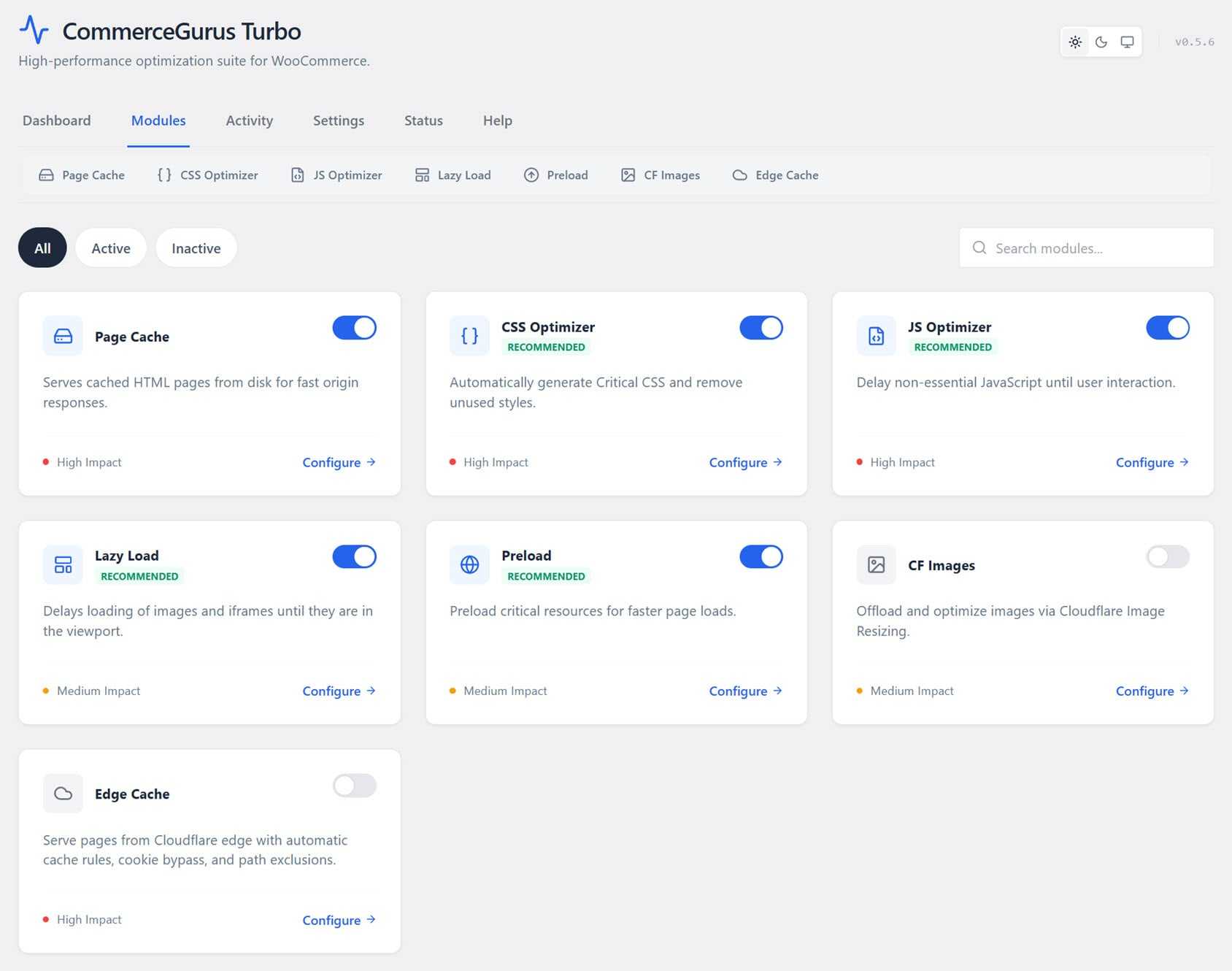
CommerceGurus Turbo’s seven modules each focus on a different aspect of WooCommerce performance, such as speeding up server response times or reducing image sizes. Four modules are on by default, and you can turn on the others with just a few clicks. Here’s what each module does.
Page Cache
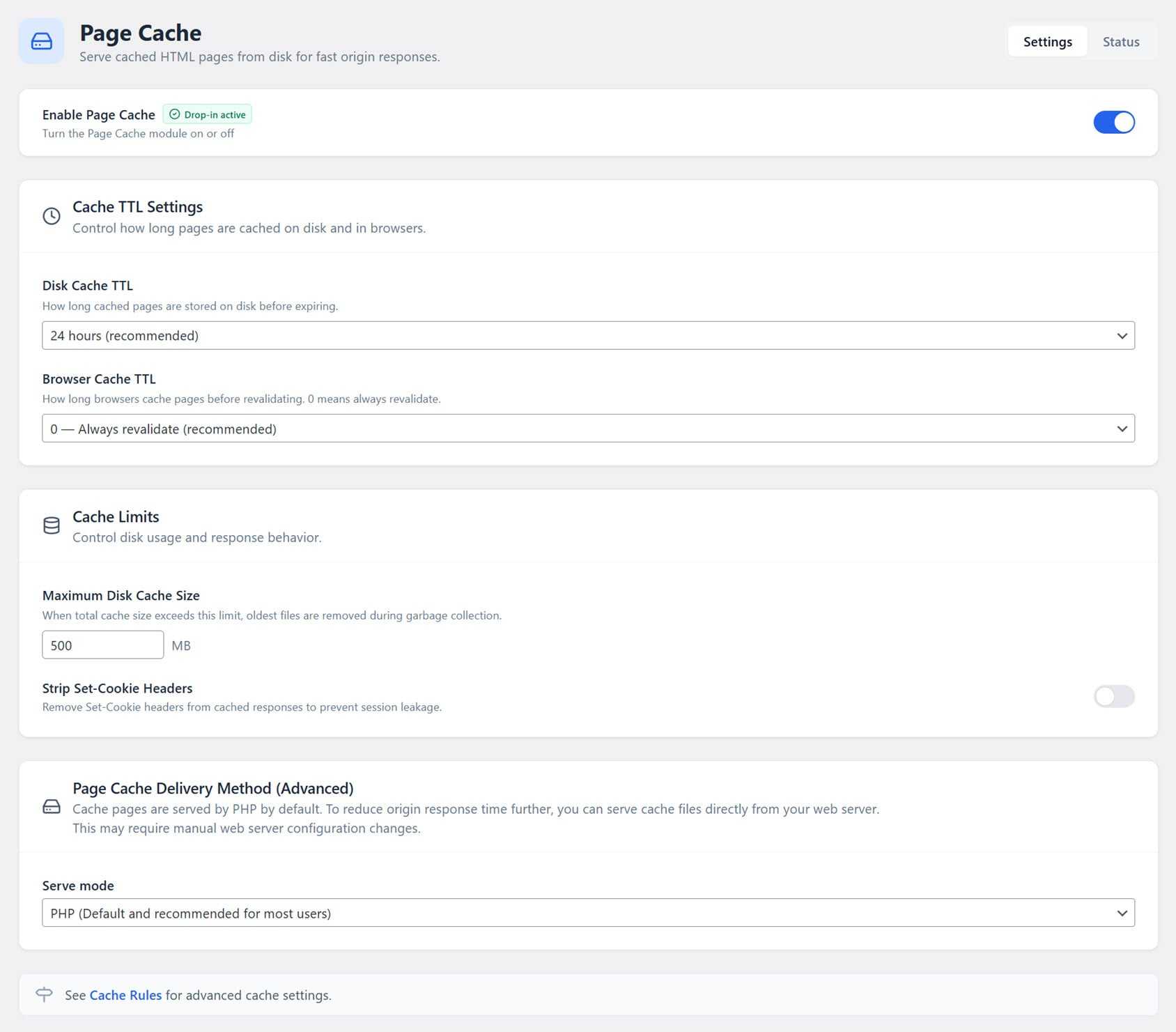
Page caching makes a huge difference for WooCommerce speed. Without it, every page load runs PHP, database queries, and builds the page from scratch. CommerceGurus Turbo’s Page Cache saves a static HTML version to disk and serves it right away, even before WordPress loads. This cuts server response times from hundreds of milliseconds to just a few.
Importantly, cart, checkout, my account, and payment pages are always excluded, so visitors with items in their cart always see the right information.
CSS Optimizer
WooCommerce stores often load much more CSS than any page really needs. Your theme, WooCommerce itself, and every plugin add their own styles, but most of these aren’t used on every page.
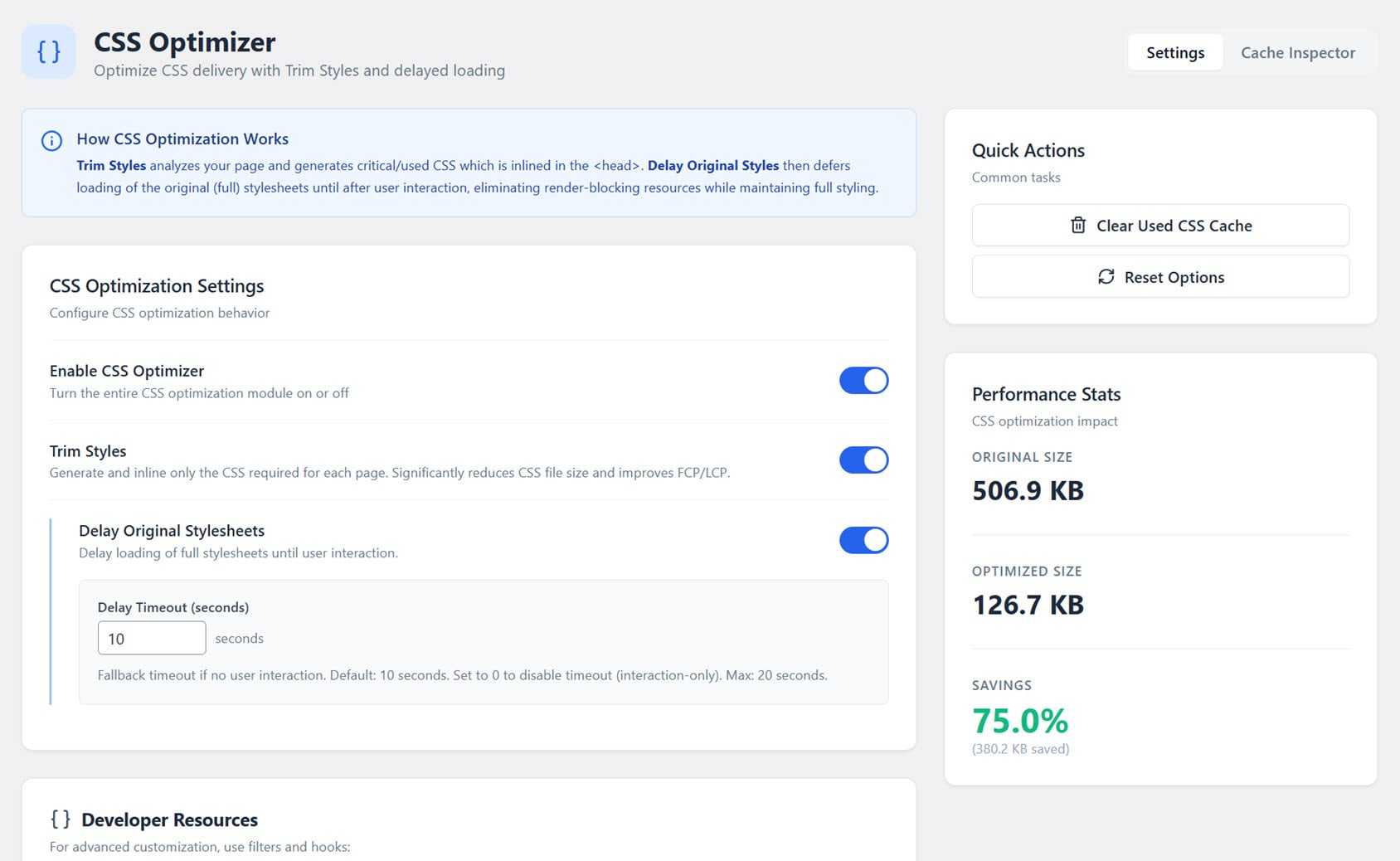
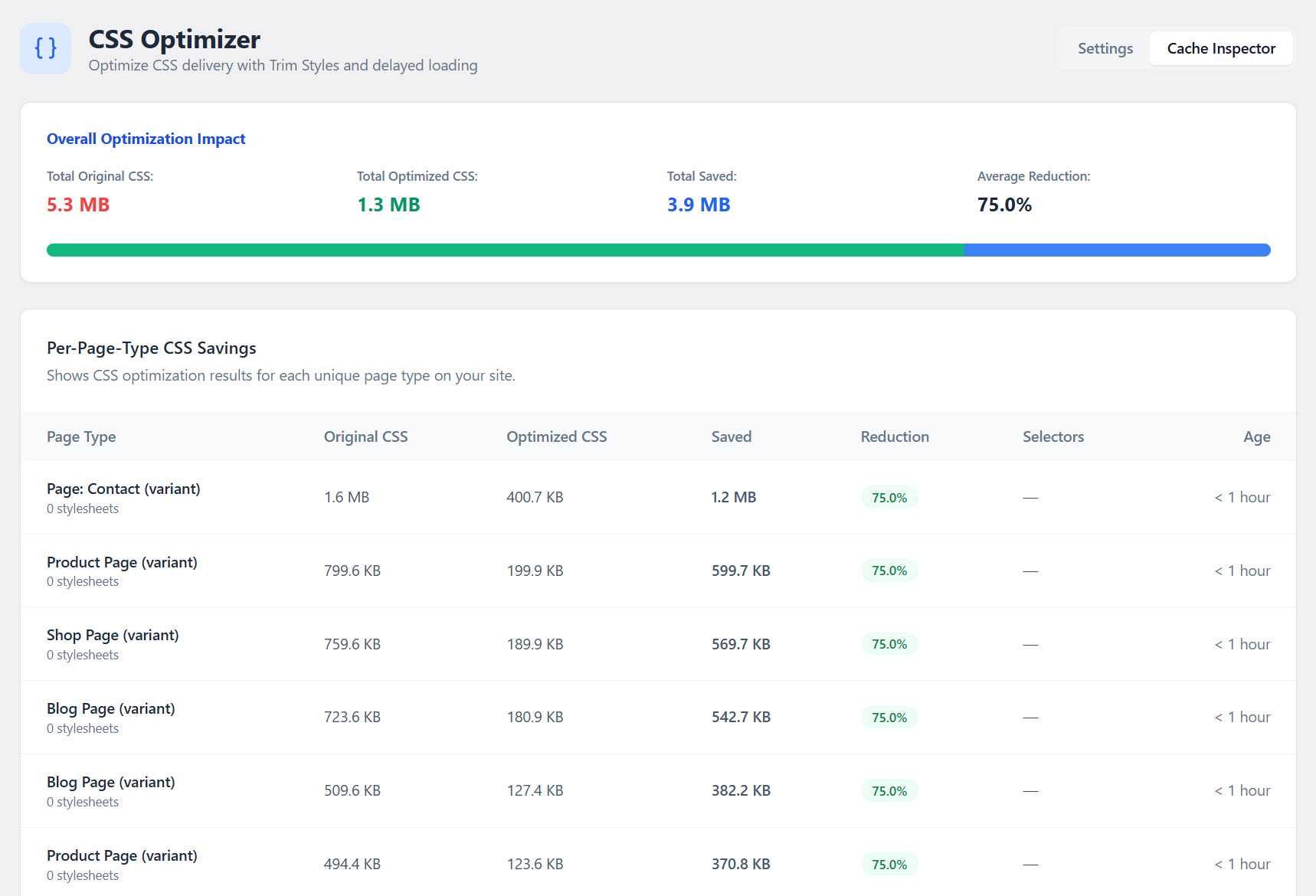
CommerceGurus Turbo’s CSS Optimizer checks each page’s HTML, finds only the CSS that’s needed, puts it directly in the page, and delays the rest. This can reduce CSS size by 50–70%, helping your site load faster and improving PageSpeed scores.
The module also includes a built-in Cache Inspector that shows exactly what’s being optimized. It breaks CSS savings down by page type, listing the original size, optimized size, and percentage saved for your homepage, product pages, archives, and more. It’s a level of visibility no other caching plugin gives you.
JavaScript Optimizer
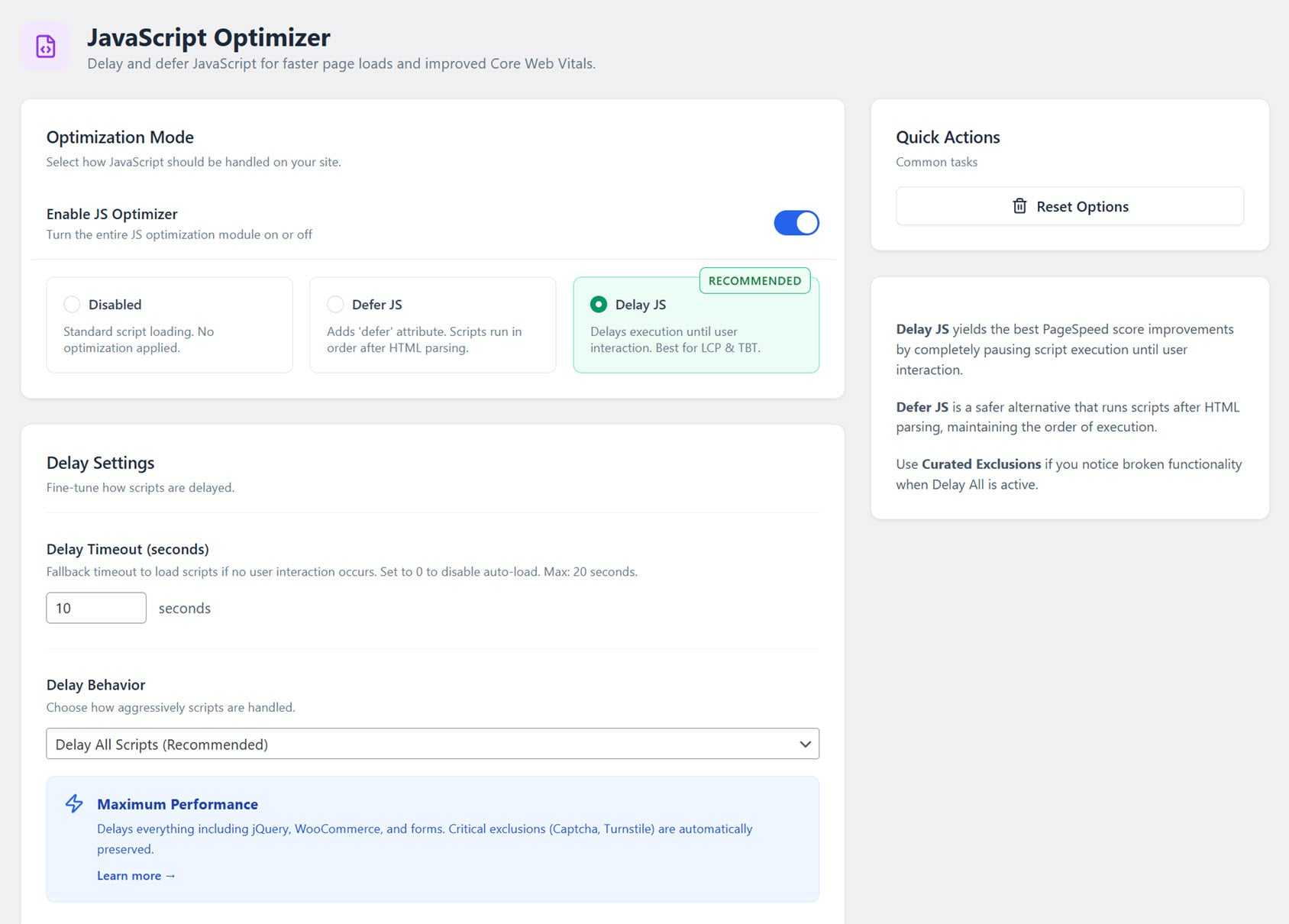
JavaScript is one of the biggest performance bottlenecks on WooCommerce stores. CommerceGurus Turbo’s JS Optimizer delays script execution until user interaction (or a short timeout), removing JavaScript as a render-blocking resource entirely.
Payment gateways and checkout scripts are never touched. If any plugin causes issues, switching to Curated mode automatically excludes known problem scripts.
Lazy Load

Images and iframes below the fold are deferred until they approach the viewport. LCP images, the ones that matter most for Core Web Vitals, are automatically excluded and load immediately, so your key content appears quickly.
Preload Optimizer
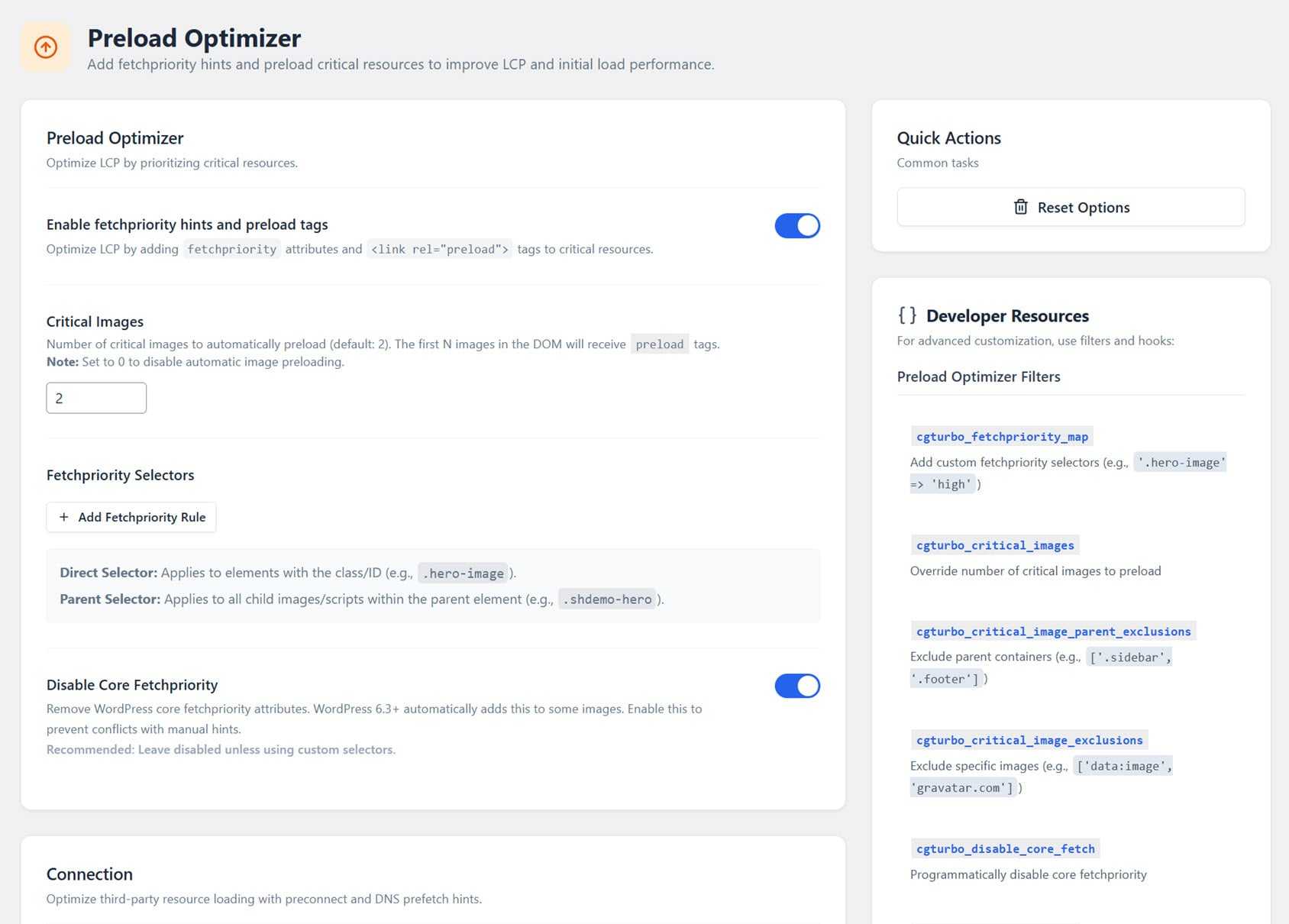
The Preload module lets browsers know which resources are the most important, using fetchpriority hints, preconnect directives, and speculation rules. That includes the hero image, key product photos, and critical resources, helping them load as quickly as possible.
By preloading these resources, your pages feel faster because the browser knows what to load first.
Cloudflare Images
Through integration with Cloudflare’s Image Resizing service, images are resized, compressed, and converted to WebP or AVIF format, with no server-side processing required.
Every device gets images that are the right size, which makes a big difference. For example, images that were 420KB can be reduced to 28KB on mobile. This module works even with Cloudflare’s free plan.
Edge Cache
CommerceGurus Turbo pushes your cached pages to over 300 Cloudflare edge locations worldwide, so visitors get responses in ~20–50ms regardless of where your server is hosted. Setup is automatic. Simply connect your Cloudflare account with a single API token and the plugin handles the rest.
When you publish, update, or delete content, CommerceGurus Turbo automatically clears the relevant URLs from Cloudflare’s cache, so visitors never see stale content.
Built for WooCommerce, Not Bolted On
What sets CommerceGurus Turbo apart from other performance plugins isn’t just its features, but the WooCommerce-specific design built into every layer.
Checkout is protected at every step. It’s not just a “cart page excluded” toggle you might forget to set. All optimizations, like caching, CDN, CSS, JS, and images, automatically skip the checkout.
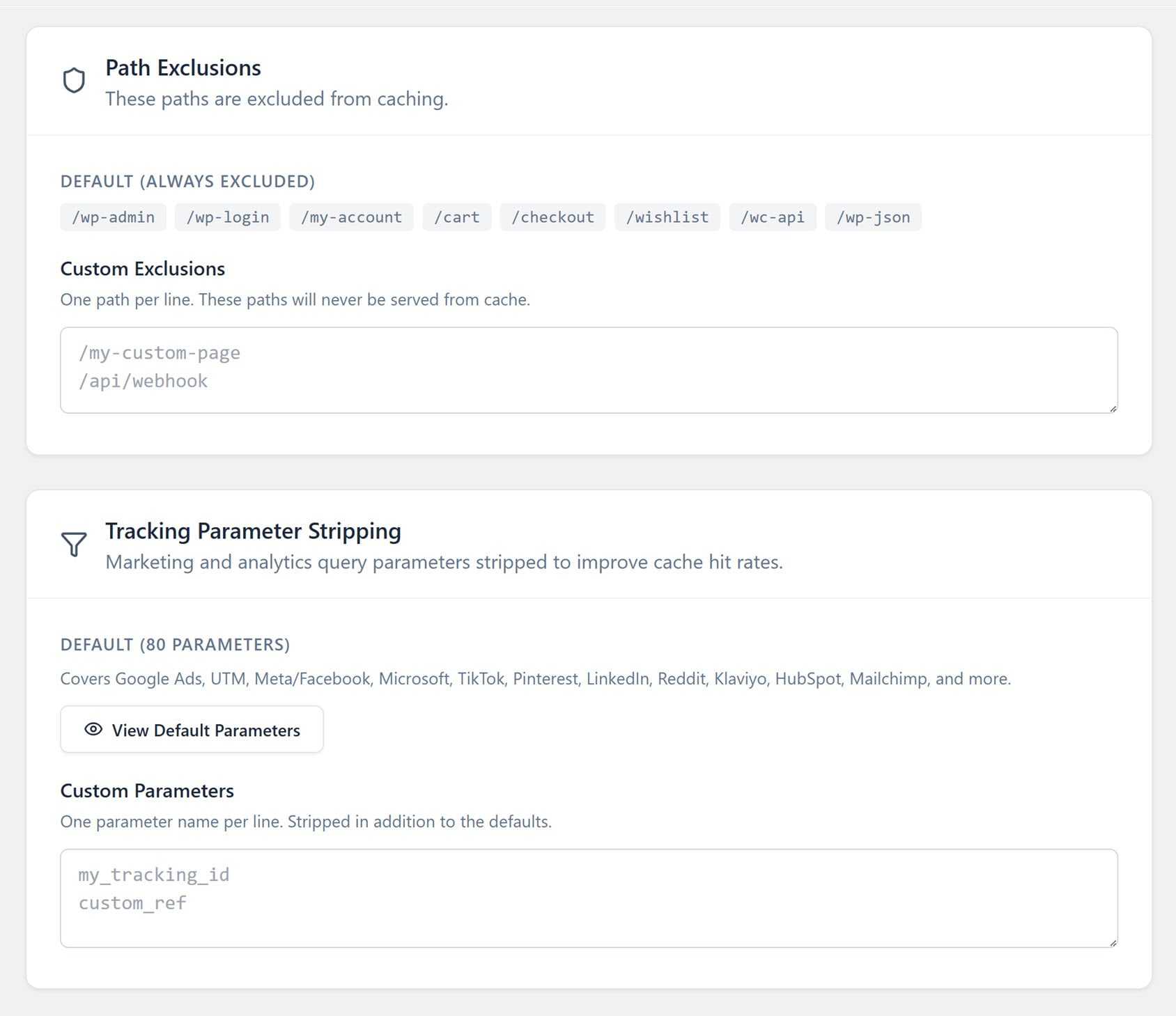
Ad traffic always hits a cached page. Many stores lose 40 to 60 percent of their cache efficiency because tracking URLs (UTM parameters, Google click IDs, Facebook parameters) create unique URLs that bypass the cache. CommerceGurus Turbo strips 80 tracking parameters at the edge, covering platforms like Google Ads, Meta, TikTok, LinkedIn, Pinterest, Klaviyo, HubSpot, Mailchimp, and more. This way, every paid click lands on a cached page.
Smart cache purging. When you update a product, CommerceGurus Turbo purges the affected URL and all related archives — not your entire cache. Both the disk and Cloudflare cache are purged together, automatically.
Multi-currency stores stay cached. If you sell internationally, most caching plugins stop caching the moment they detect a currency cookie so every visitor gets a slow, uncached page. CommerceGurus Turbo recognises the major multi-currency tools and caches a separate variant for each currency instead. Your catalog stays fast for shoppers in every market.
Filtered category pages stay cached too. Sorting, price and rating filters, pagination, and variation pre-selection are exactly where most stores fall off a performance cliff, because each combination looks like a brand-new page to a generic cache. CommerceGurus Turbo caches these variants instead of missing them, so the filtered product pages your shoppers actually browse load instantly.
Cache warming keeps every page fast. Most caching plugins purge a page and leave it cold, so the next visitor waits for it to rebuild. CommerceGurus Turbo crawls your sitemap automatically and re-warms both the page cache and the edge cache after a purge. Visitors always hit a cached page, even right after you update content.
It clears your host’s cache too. Many WooCommerce stores run on managed hosting that adds its own server-side cache. CommerceGurus Turbo detects your host — with built-in support for WP Engine, Kinsta, Cloudways, SiteGround, SpinupWP, and GridPane, plus generic Varnish — and clears that cache alongside its own. No stale pages from a caching layer you forgot was there.
It works with any well-coded WooCommerce theme, not just Shoptimizer. It also detects page builders and turns off optimization in edit mode, so you always see your site as it should look while you’re working on it.
Getting Started
CommerceGurus Turbo is designed to replace general-purpose WordPress caching and performance plugins. Before installing it, deactivate any plugins you’re currently using, like WP Rocket, LiteSpeed Cache, Autoptimize, W3 Total Cache, or NitroPack.
You don’t have to track them all down yourself, as CommerceGurus Turbo detects known caching and optimization plugins and warns you about conflicts.
Then, install and activate the plugin and navigate to WooCommerce > CG Turbo. The four core modules (CSS Optimizer, JS Optimizer, Lazy Load, and Preload) are enabled by default, so your store gets faster as soon as it is active.
To get the most out of CommerceGurus Turbo, connect a free Cloudflare account to enable edge caching and image optimization. In your Cloudflare dashboard, create a custom API token with the right permissions, then paste it into the Edge Cache section of CommerceGurus Turbo and click Connect. You don’t need to set up anything else in Cloudflare — it handles all the cache rules for you.

If you need to troubleshoot, you can test any page without CommerceGurus Turbo’s optimizations by adding ?cgturbooff to the URL. You can also turn off individual modules:
- Add ?cgturbojsoff to disable JS optimization
- Add ?cgturbocssoff to disable CSS optimization
- Add ?cgturbonocache to bypass caching
Managing more than one store? CommerceGurus Turbo’s entire configuration can be exported and imported with a single click, so you can roll out the same settings across every site you run.
Check the CommerceGurus Turbo documentation for more details.
Speed Up Your WooCommerce Store Today
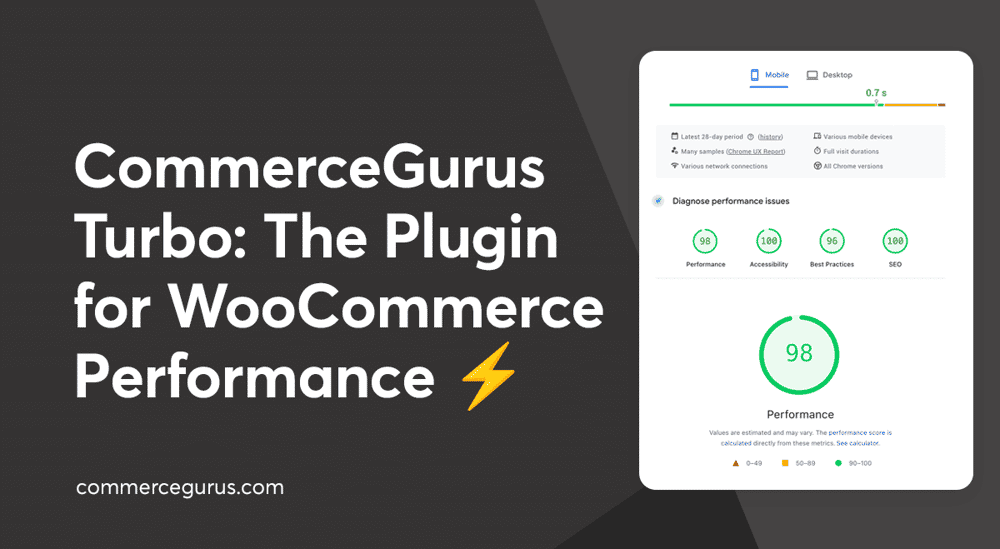
Faster WooCommerce stores convert better. CommerceGurus Turbo is the quickest route to PageSpeed scores in the 90s, near-instant page loads, and a checkout that never breaks, without the complexity of juggling multiple plugins.
At $59 a year with a 10-day money-back guarantee, there’s no reason to keep patching together a performance stack that wasn’t built for WooCommerce.
Try CommerceGurus Turbo today.
FAQs about CommerceGurus Turbo
Here are some common questions and answers you might have about the plugin. You can see more CommerceGurus Turbo FAQs here.
Will CommerceGurus Turbo break my checkout?
No. Cart, checkout, my account, and payment pages are automatically excluded from all optimizations. The plugin is built specifically for WooCommerce by developers who understand eCommerce. Checkout protection is architectural, not a setting you need to configure.
Does CommerceGurus Turbo replace WP Rocket or LiteSpeed Cache?
Yes. Deactivate your existing caching or performance plugin before installing CommerceGurus Turbo. It replaces caching plugins, JS optimizers, image optimizers, and CDN plugins in one.
Do I need a Cloudflare account?
No but CommerceGurus Turbo better with a free one. All core optimizations, including CSS, JS, lazy load, preload, and page caching, work without Cloudflare. A free Cloudflare account unlocks edge caching and Cloudflare Images, both of which are optional but recommended for maximum performance.
Does it work with my WooCommerce theme?
Yes, CommerceGurus Turbo works with any well-coded WooCommerce theme, not just Shoptimizer. It also auto-detects page builders and disables optimization in edit mode.
Does CommerceGurus Turbo work with multilingual stores?
Yes. CommerceGurus Turbo includes built-in support for WPML and Polylang, with separate cache variants for each language. Every language version of a page is cached and served correctly.
What happens when my license expires?
CommerceGurus Turbo continues working after your license expires. You won’t receive updates or support until you renew. You can renew anytime from your account area to get the latest optimizations.





 How to Defer Offscreen Images in WordPress
 Drive sales growth on your online store with an Affiliate program
 How to Find and Fix Rich Snippet Errors
 From Visits to Journeys: How to Drive Visitors Back to Your Store