

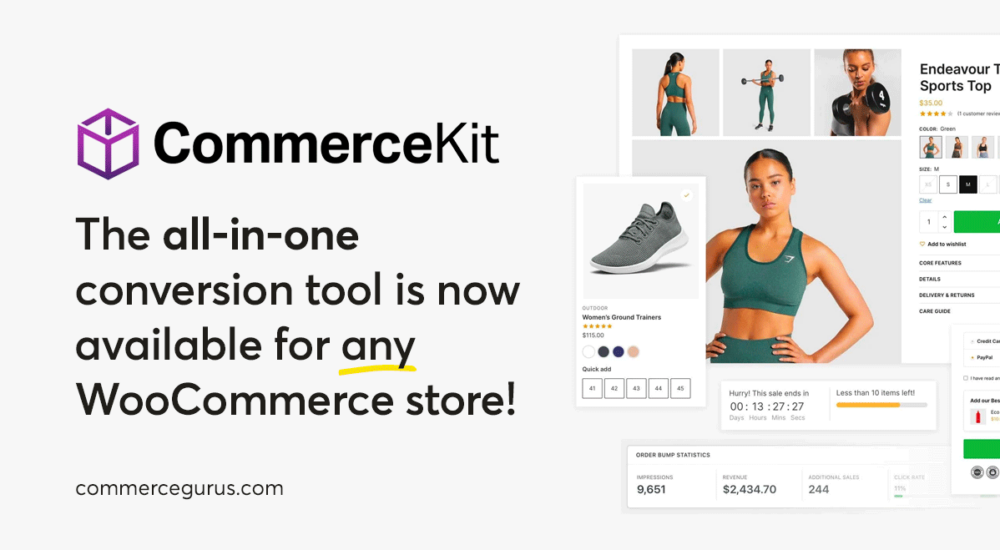
CommerceKit was born as a simple companion plugin to Shoptimizer. Over the years it has evolved into a powerful, fully-featured conversion optimization suite for WooCommerce with 13 modules covering everything from instant ajax search and conversion-focused product galleries to order bumps, attribute swatches, and wishlists.
It replaces a whole stack of individual plugins with a single, performance-optimized package.
For years, many of you have been asking if CommerceKit can be used with any WooCommerce theme – not just Shoptimizer.
For those of you who have missed CommerceKit’s suite of conversion optimization features on your other WooCommerce stores, we are pleased to announce that you can now purchase a standalone license and use CommerceKit with any WooCommerce-powered store!
A standalone license is just $39/year. When you consider how many individual plugins CommerceKit replaces, that’s a pretty great deal.
If you’re already a Shoptimizer customer, nothing changes for you. CommerceKit is still included with your Shoptimizer license and the update process remains exactly the same.
The Problem CommerceKit Solves
We love WooCommerce. But out of the box, it’s deliberately minimal. You get products, cart, and checkout – and that’s about it. No ajax search, no decent product gallery options, no attribute swatches, no order bumps, no wishlists. For most stores, you end up needing to buy a bunch of separate plugins to fill the gaps.
And there are a few issues with that approach.
It gets expensive quickly
Most of these plugins are subscription-based, so you’re paying yearly renewals on each one. Buy the equivalent of what CommerceKit offers as individual plugins and you’re looking at nearly $500/year.
Plugin conflicts
I see so many WordPress installs with dozens of plugins active. The more you add, the more likely something breaks. Different developers, different coding standards, different update schedules, different support teams. If you’ve spent an afternoon trying to figure out which plugin is conflicting with which, you know how frustrating this can be.
Performance suffers
We weren’t happy with how bloated many of these plugins have become. Far too many load CSS and JS on pages where the feature isn’t even present. Stack five or six of them together and your PageSpeed score takes a real hit.
Many don’t scale
There’s nothing worse than finding a great WooCommerce plugin only to discover it hasn’t been battle-tested on large catalogs or high-traffic stores.
CommerceKit solves all of this. One plugin, 13 modules, everything built to work together. The only requirement is WooCommerce itself. There are no other plugin dependencies.
What’s Inside: The 13 CommerceKit Modules with Supercharge WooCommerce
CommerceKit has grown from seven modules at launch in 2022 to 13 today. The features map to the shopping journey, enhancing the shopping experience, from start to finish. Every module can be enabled or disabled independently. If you don’t use a module, it loads zero assets.
Ajax Search
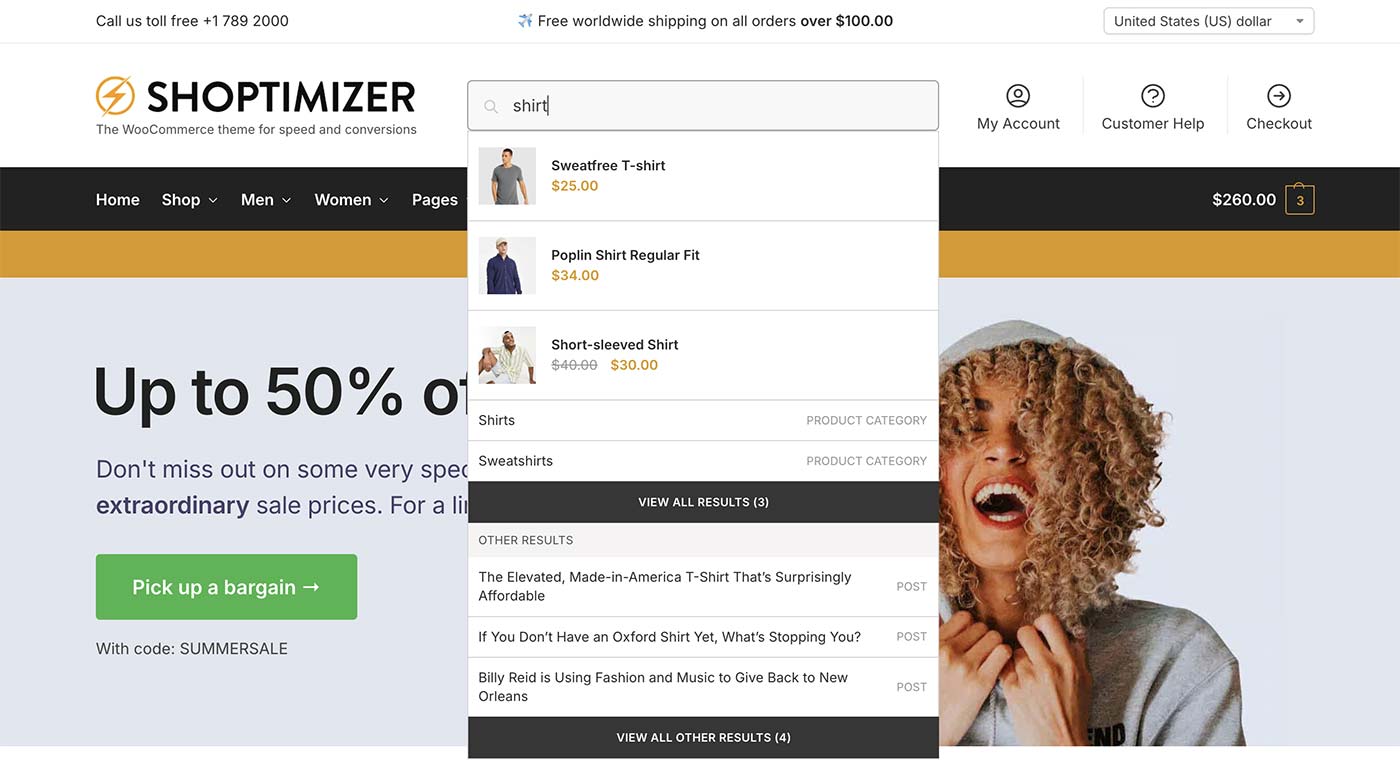
Live search suggestions are an essential component of eCommerce sites. It’s really important that customers can find what they’re looking for quickly. We built a really lightweight version.
An important addition is non-product searches. Baymard have an excellent article on eCommerce search query types outlining how important this is. Many customers search for pages as well as products – things like “Returns Policy” or “Delivery costs”. We wanted the ability to include everything in the result set.
There’s also built-in search analytics showing what customers are searching for, including popular terms and searches that returned no results so you can spot gaps in your catalog.
Help shoppers find what they need quickly with near-instant search results and only a 9KB footprint. Can display non-product search results (such as return policies, delivery pages, blog posts, etc). Built-in search analytics show popular terms and searches with no results, highlighting new product opportunities.
Attribute Swatches
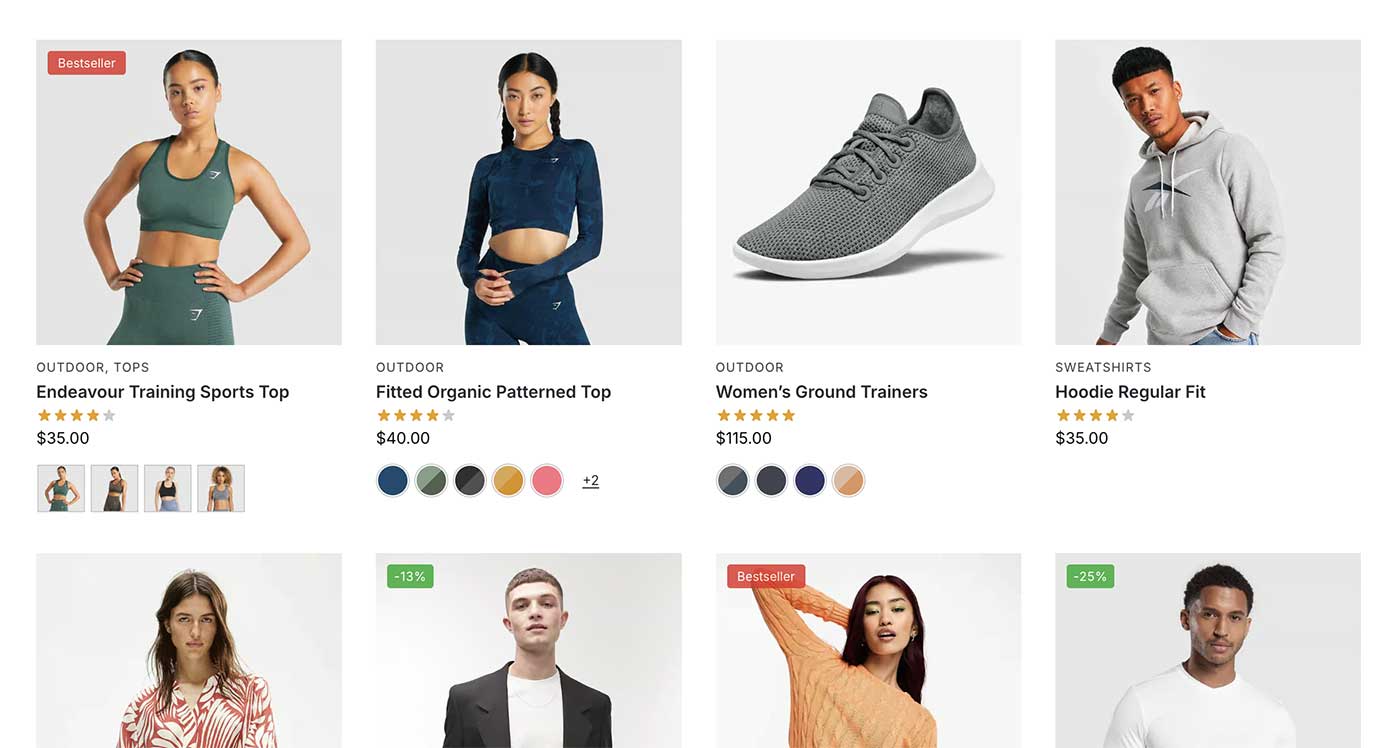
Default WooCommerce variable products leave a lot to be desired. Making variable product selections can be a tedious process at best and at worst ends with customer frustration and lost sales. Research shows attribute dropdowns are a particular issue on mobiles where most sales now take place.
Swatches transform variable products into something far more engaging with color, image, or button selectors that work on both product pages and listing pages. We’ve also included an optional quick add-to-cart button on listing pages.
Product Galleries

After trying to tinker with the default WooCommerce gallery we decided to build our own to really increase single product page performance.
It includes eight layout options (including horizontal, vertical, grid variations, simple scroll and more), native video support for YouTube, Vimeo, Wistia, MP4, and WebM, plus lazy loading and an in-built lightbox. Check out our in-depth post on how we built the fastest WooCommerce gallery for the full technical details.
You can also demonstrate social proof by displaying a featured review on product pages underneath the gallery – see an example in the screenshot above.
Attribute Galleries
With standard WooCommerce, you have to select a specific variation before the gallery updates. With CommerceKit’s Attribute Galleries, a customer can see the main gallery update as soon as an attribute (e.g. a color) is selected. It’s a great usability improvement compared to the default gallery behaviour.
Product Badges
“New” badges are applied automatically based on the publish date, plus include custom badges, assignable by category or date range, to highlight product features and promotions.
Sticky Add to Cart Bar
Adds a conversion-friendly sticky add to cart bar on mobile and desktop. Clicking it reveals a panel which allows the user to select their desired variation. On mobile, the “Add to cart” button is fixed to the bottom of the viewport so it’s always visible on screen even while scrolling – brilliant for conversions.
Countdown Timers
Create a sense of urgency with flexible countdown timers on both the product and checkout pages.
Stock Meters
Boost sales by displaying low-stock indicators that prompt customers to act. Has custom text and thresholds. And stock levels are always real – there’s no option to fake them.
Size Guides
Reduce returns and support customers by creating reusable size guides that are assignable by category or individual product.
Order Bumps
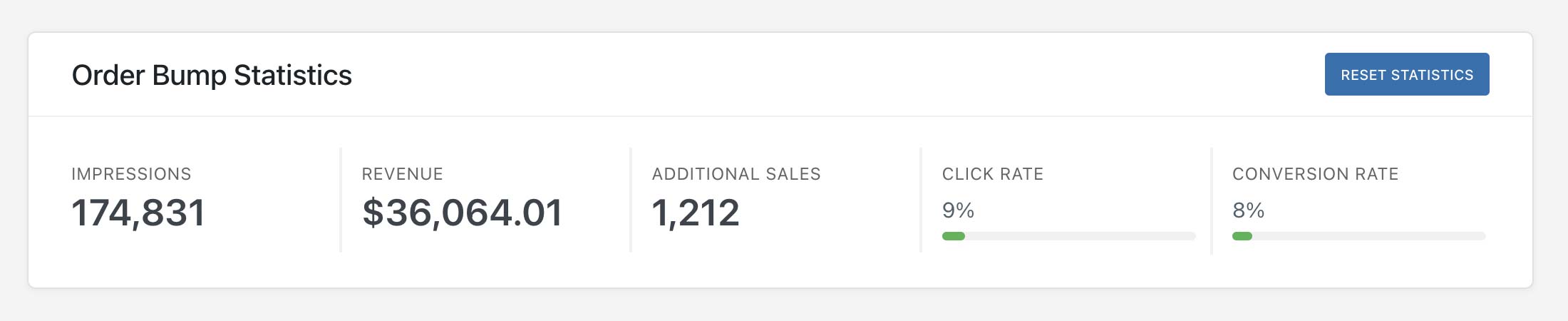
We’re really pleased with how this module has evolved. Increasing the average order value is vital for store owners and order bumps can be a great way to do that. An order bump is an additional product which appears right before the Place order button on the checkout page and in the mini cart.
At this stage, the customer is primed to purchase. It’s an excellent opportunity to suggest an affordable extra item. From CommerceKit’s dashboard you can see exactly how much extra revenue order bumps have generated for your store.
Free Shipping Notifications
Shipping costs are one of the major reasons shoppers abandon their cart. If you offer free shipping above a certain threshold, this module makes it more prominent – a progress bar in the mini cart sidebar and on the cart page showing how close the customer is to hitting the target. Multi-currency support is built in.
Waitlist
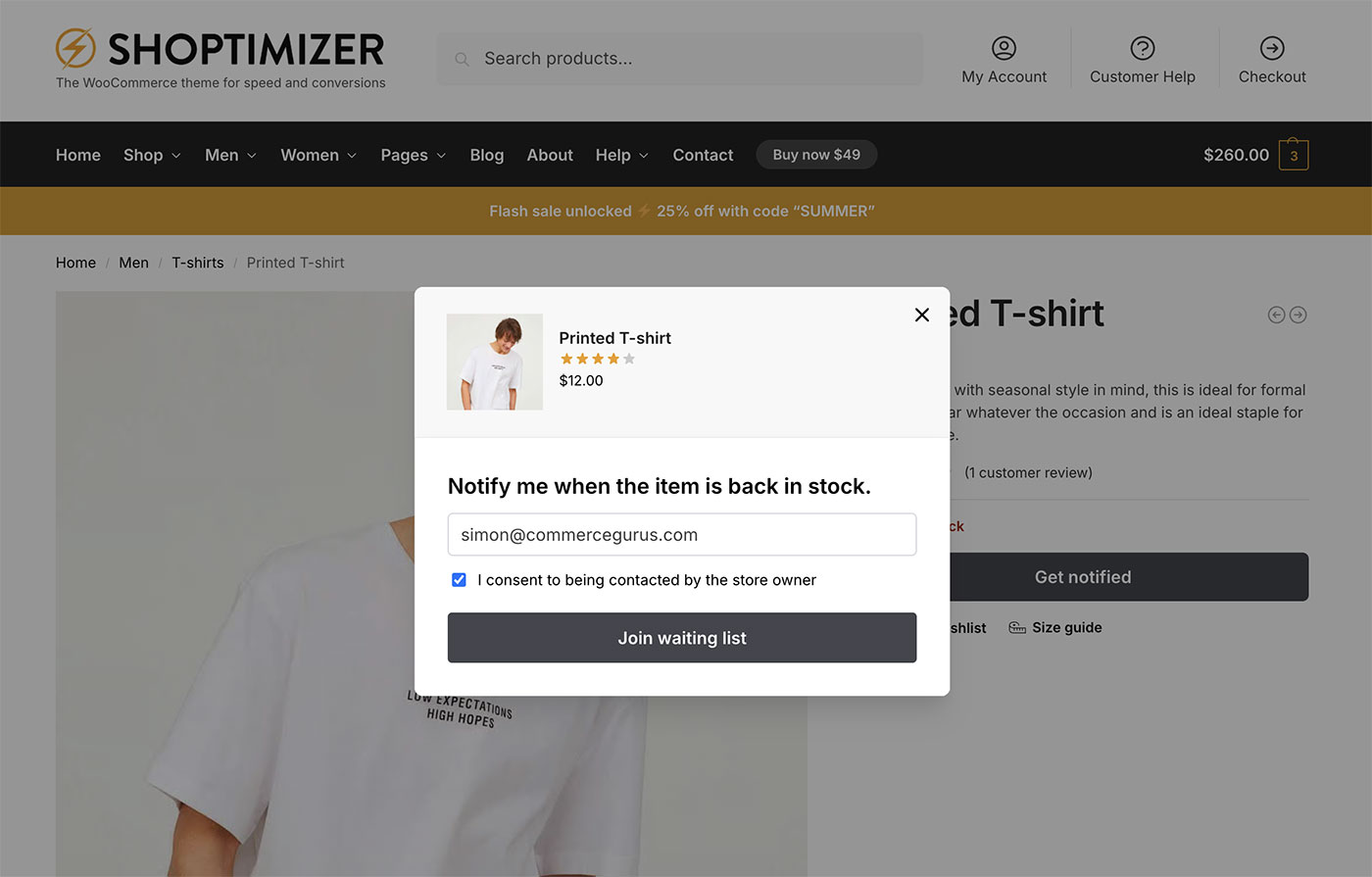
Our waitlist module allows you to track and monitor demand for out-of-stock items. Rather than simply displaying a generic “Out of stock” notice, it adds an email form so customers can register their interest. When the item is back in stock, a notification email is automatically sent.
It integrates directly with Klaviyo and Omnisend, includes GDPR-compliant double opt-in for EU stores, and you can export your full waitlist as a CSV at any time.
Wishlist
A wishlist is a really useful feature for many eCommerce stores. It enables shoppers to create personalized collections of products they want to buy for future reference.
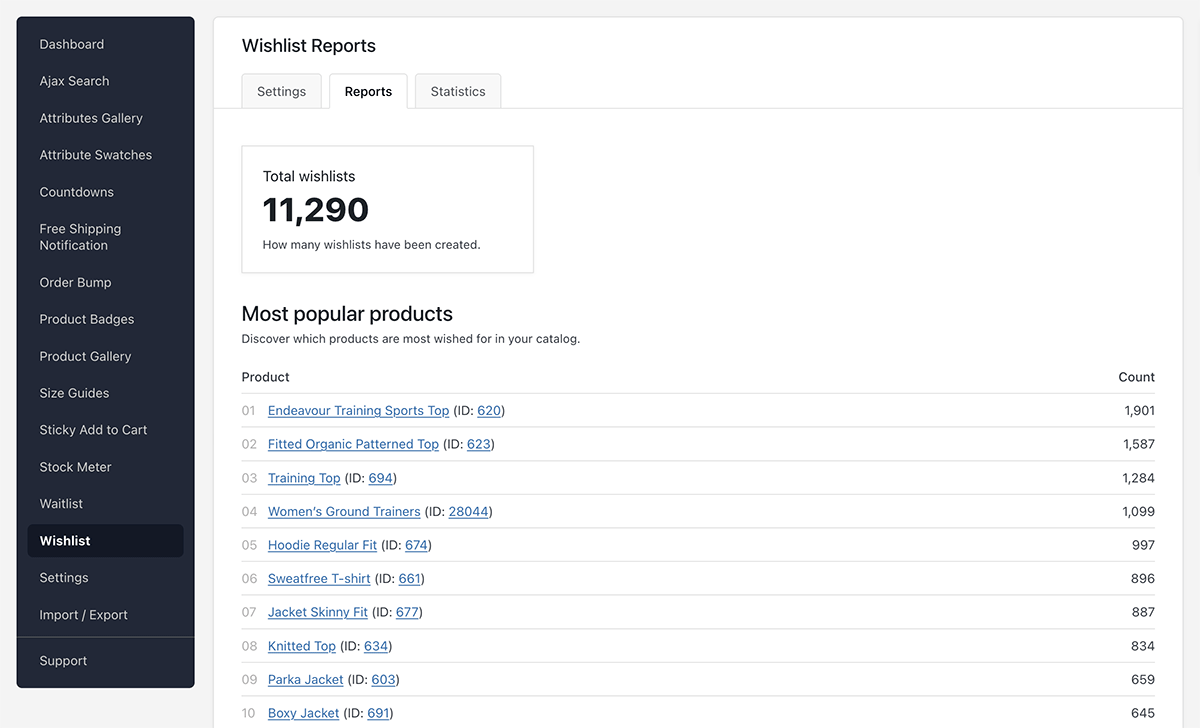
Built-in wishlist reports show you which products are most wishlisted (is that a verb?) across your catalog, along with revenue attribution and conversion tracking so you can see exactly how wishlists are driving sales.
Built for Performance
Obviously a big reason we built CommerceKit was performance. We weren’t happy with how bloated many individual plugins have become and wanted a minimal feature set, with as tiny a page load as possible, with the smallest number of requests necessary.
So each module was created with just vanilla JS – there’s no jQuery used anywhere. And each module only loads its CSS and JS on the pages where it’s actually needed. If five modules are active but only three are relevant to the current page, only those three load.
The result: a 96% mobile PageSpeed Insights score. Stores running the equivalent functionality through separate plugins typically land somewhere in the 70–80 range.
For a technical deep dive into how we approach product page performance, our WooCommerce gallery speed post covers the details.
Theme Compatibility
CommerceKit has been tested across a range of popular WooCommerce themes and is designed to work with any theme that follows standard WooCommerce conventions. If you run into any issues with your theme, our support team is available to help.
If you use Elementor Pro’s template builder to redesign product pages, eight modules include dedicated Elementor Pro widgets: Countdowns, Free Shipping Notification, Order Bumps, Product Gallery, Size Guide, Stock Meter, Waitlist, and Wishlist.
What customers have said
“CommerceKit is the answer to reducing plugin bloat. My favorite is the product gallery… I can’t say enough good things.”
— Alfonso Muhammad, USA
“We get a score of 96/100 on mobile with PageSpeed Insight, even on shared hosting. By far the best on the market.”
— YG, France
“One of our greatest investments in the last few years. I have absolutely no doubt it has paid for itself many times over.”
— Luke Kirk, United Kingdom
Pricing and Licensing
Standalone: $39/year — All 14 modules, plugin updates, and support for one domain.
Bundled with Shoptimizer: $49/year — Everything above, plus the Shoptimizer theme.
Already have Shoptimizer? CommerceKit is included in your subscription — nothing changes for you.
Licensing is domain-based – just connect your domain within your CommerceGurus account with one click. CommerceKit is licensed under GPLv2, so you can install it on as many sites as you own, with one domain getting official updates and support.
There’s a 10-day money-back guarantee, so there’s no risk in trying it out.
Get started with CommerceKit
If you’ve been piecing together separate plugins to get the features your store needs, CommerceKit replaces them for $39/year – without hurting your PageSpeed score.
Oh – and as Peter Falk’s Columbo would say, just one more thing. Check out our incredible changelog of CommerceKit updates to see just how we keep on adding functionality to this plugin and improving it over time.





 Rescue orders from oblivion with Abandoned Cart Pro
 Cloudways – the best WooCommerce host? We review the $10 plan
 Adding an extra Product Tab in WooCommerce
 Increase your store traffic with Yoast WooCommerce SEO