CommerceGurus Turbo has cache rules which give you fine-grained control over which pages are cached and how cache keys are generated. These settings apply to both Page Cache and Edge Cache, so you only need to configure them once.
Navigate to WooCommerce > CG Turbo > Settings > Cache Rules to configure these settings.
Out of the box, CommerceGurus Turbo handles the most common exclusions automatically – WordPress admin pages, WooCommerce critical pages, REST API endpoints, and AJAX requests are all excluded.
The settings below let you fine-tune things for your specific setup.
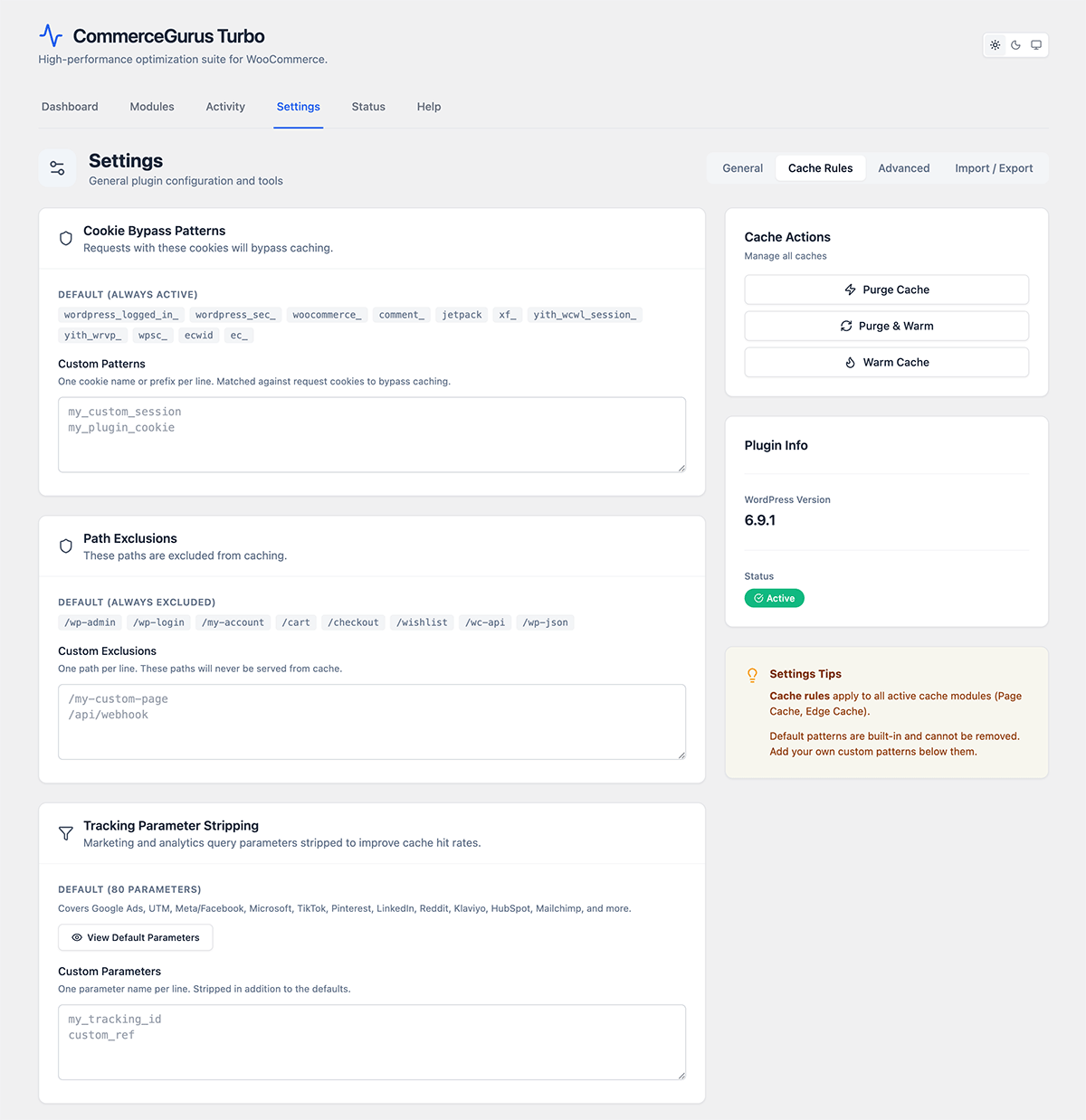
Path exclusions
URL patterns that should never be cached. Add one pattern per line. For example:
- /my-account/ – exclude all account pages
- /members/ – exclude membership content
This is useful if you have pages with personalized or dynamic content that shouldn’t be served from cache.
Bypass cookies
Cookie name patterns that force cache bypass. When a visitor has a matching cookie, they’ll always receive a fresh (uncached) page.
CommerceGurus Turbo automatically bypasses caching for logged-in users and visitors with WooCommerce session cookies (items in cart).
Add additional cookie patterns here if you use plugins that personalize content based on cookies – for example, membership or geolocation plugins.
Tracking parameters
Query parameters that are stripped from URLs before generating cache keys. This prevents duplicate cache entries for URLs that only differ by tracking parameters.
CommerceGurus Turbo strips common tracking parameters by default (UTM parameters, `fbclid`, `gclid`, etc.). Add any custom tracking parameters your marketing tools use.
Cache query parameters
Query parameters that should create separate cache variants. By default, most query parameters are ignored in the cache key. Add parameters here if different values should serve different cached pages – for example, a `currency` or `language` parameter.
Vary cookies
Cookies that create separate cache variants. If a cookie in this list has different values, visitors receive different cached versions of the page. Use this for cookies that change page content — for example, a currency selector or geolocation cookie.
Per-page exclusions
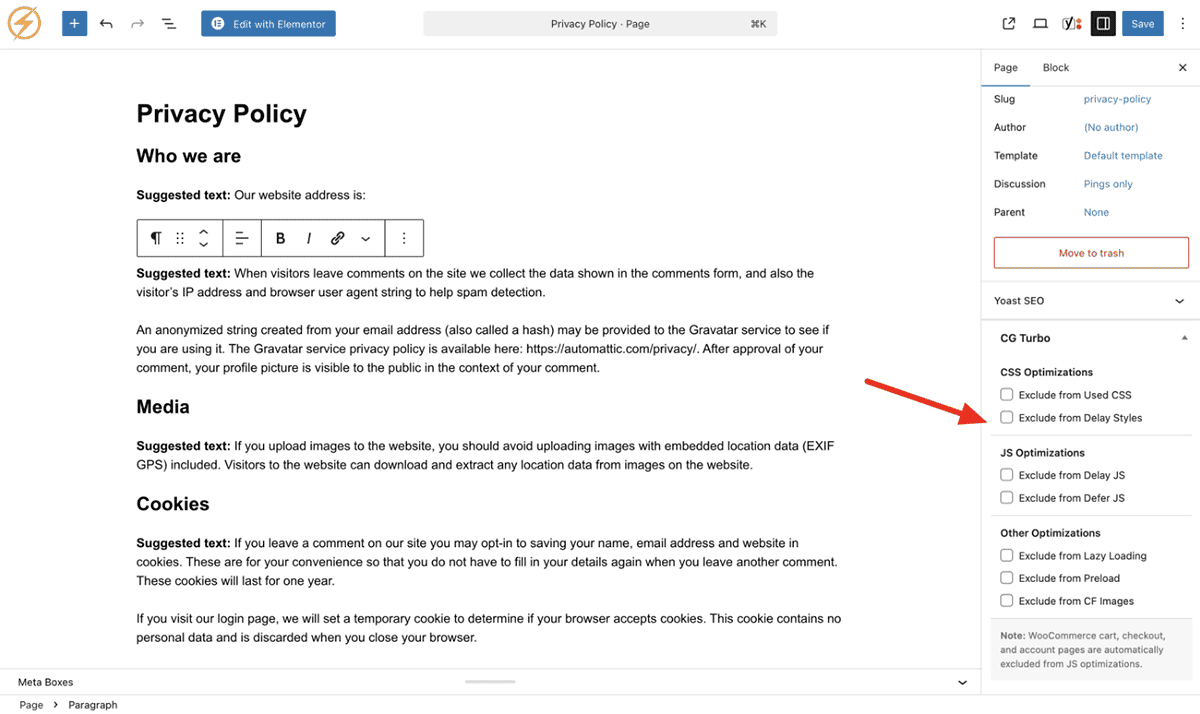
You can also exclude individual pages from caching using the CommerceGurus Turbo meta box in the WordPress editor sidebar. This is handy when just one or two pages need special treatment.