Images and embedded videos are typically the heaviest assets on any WooCommerce store. Without lazy loading, your visitors’ browsers download every single image on the page – even the ones they can’t see yet. That’s a lot of wasted bandwidth and a slower experience for everyone.
CommerceGurus Turbo’s Lazy Load module changes this by only loading images and iframes as the visitor scrolls near them.
The result is a dramatically faster initial page load, especially on image-heavy product and category pages.
Navigate to WooCommerce > CG Turbo > Modules > Lazy Load to configure these settings.
What gets lazy loaded
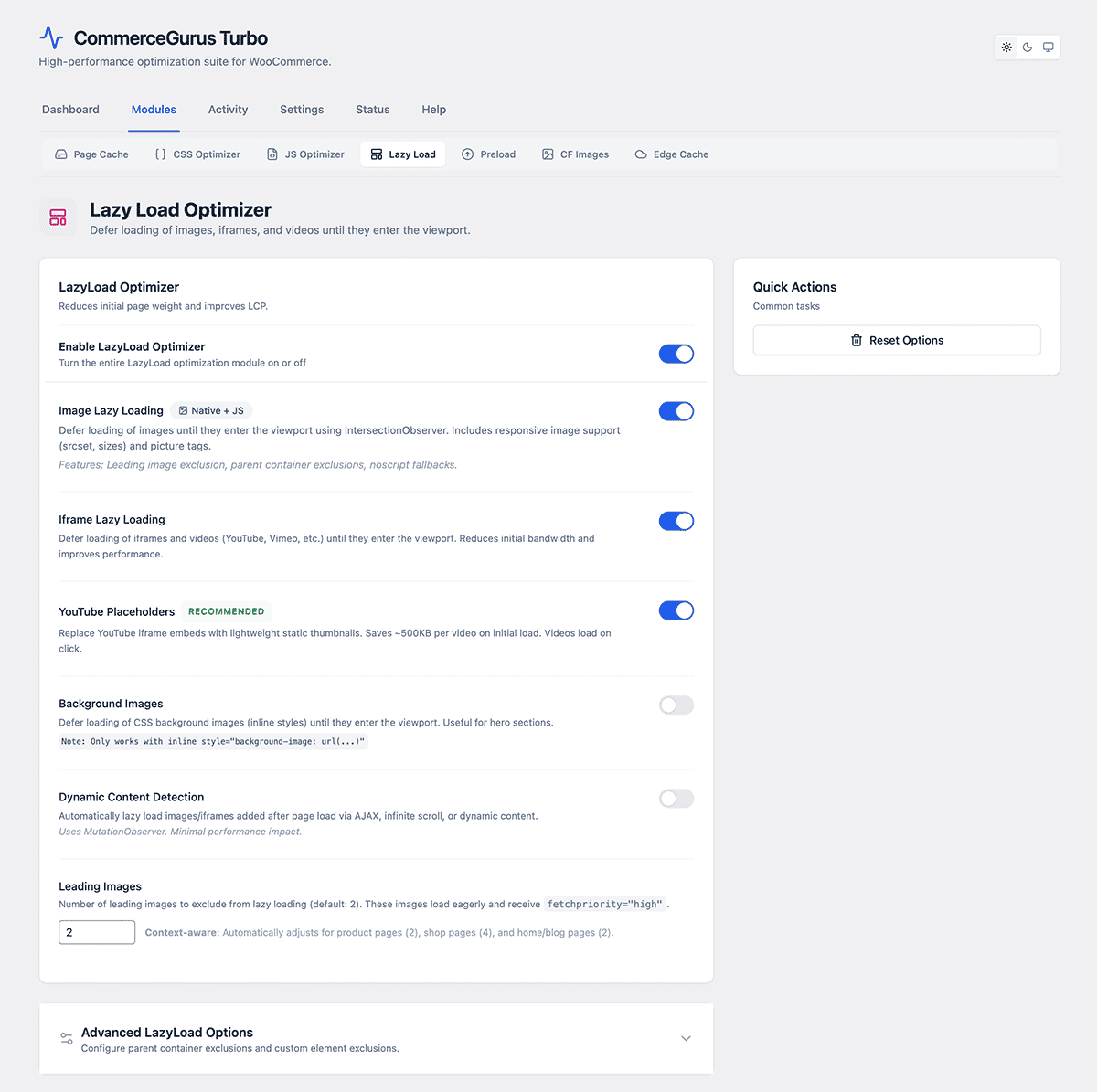
- Images – lazy loads <img> elements. Enabled by default.
- Iframes – lazy loads embedded iframes. Enabled by default.
- YouTube – this is a great one. It replaces heavy YouTube iframes with a lightweight thumbnail and play button. The actual video player only loads when the visitor clicks play. A single YouTube embed can add over 1MB to your page. This feature eliminates that entirely until the visitor wants to watch. Enabled by default.
- Background images – lazy loads CSS background images. Disabled by default as it requires more careful testing. Enable it if your pages use large background images that appear below the fold.
Leading images count
This is an important setting. It controls how many images at the top of the page are excluded from lazy loading. The default is 2.
Why does this matter? Images that appear above the fold e.g. your hero image, site logo, etc. should load immediately, and not be lazy loaded.
Lazy loading your LCP (Largest Contentful Paint) image actually hurts your Core Web Vitals score. If your hero image or main product photo is being lazy loaded, increase this number.
Exclusions
- Container exclusions – CSS selectors for areas that should never be lazy loaded. For example, if you have a slider that needs all its images loaded upfront, add the slider’s container class here.
- Pattern exclusions – URL patterns to exclude. Any image URL matching a pattern in this list will load normally.
- Dynamic content – enable this if your site uses AJAX-loaded content or infinite scroll, so that lazy loading is applied to dynamically added content as well.