JavaScript is one of the biggest performance bottlenecks on WooCommerce stores. Between your theme, WooCommerce itself, and various plugins, your pages can end up loading dozens of scripts, most of which aren’t needed for the initial page render.
CommerceGurus Turbo has a JavaScript Optimizer module which tackles this head-on by controlling how and when scripts load, directly addressing the common PageSpeed recommendation to “reduce unused JavaScript.”
Navigate to WooCommerce > CG Turbo > Modules > JS Optimizer to configure these settings.
Delay JS vs Defer JS
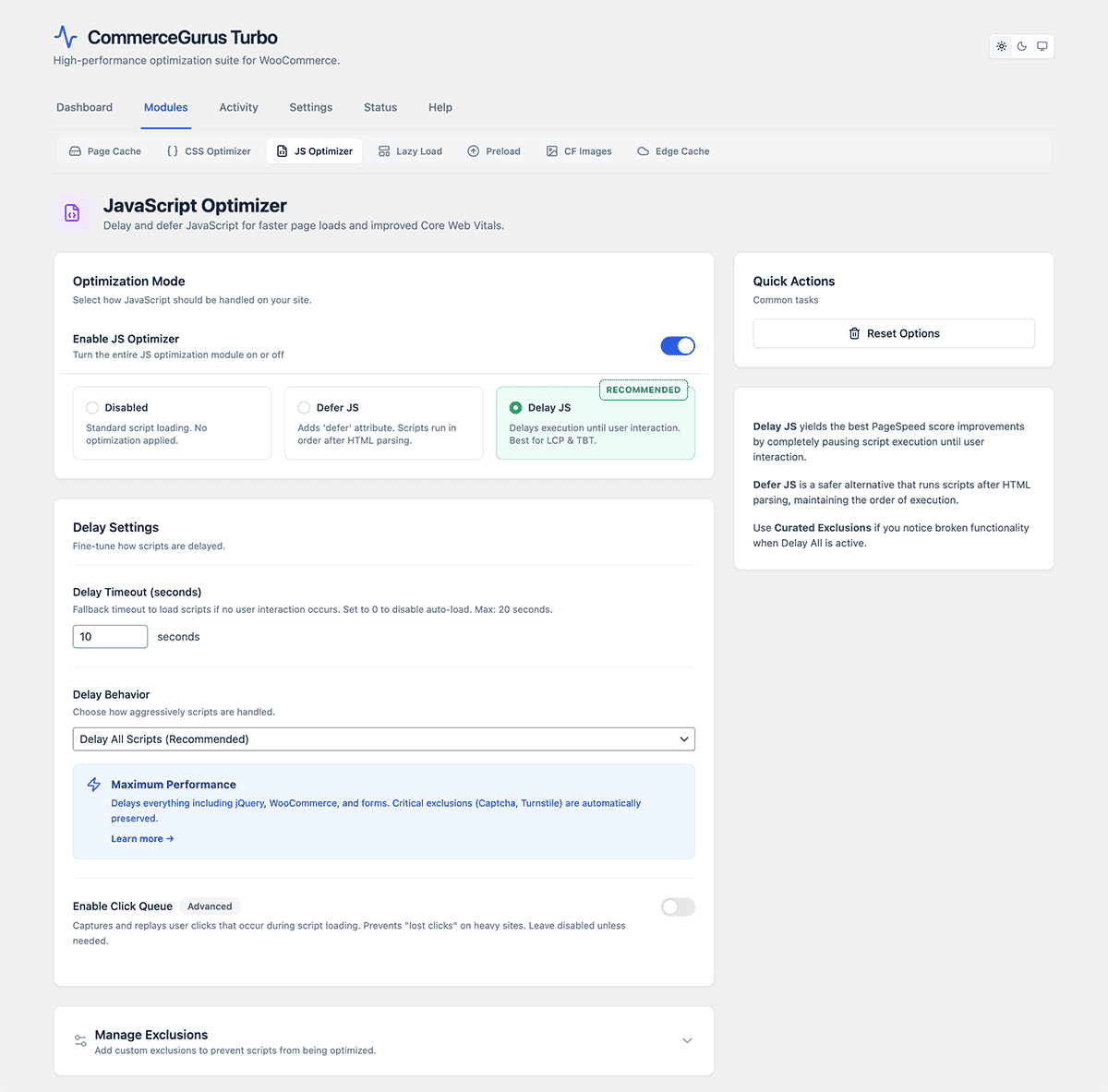
The plugin offers two powerful approaches to JavaScript optimization. You’ll typically use one or the other, not both.
- Delay JS holds scripts back from loading entirely until a timeout expires or the user interacts with the page. This produces the best PageSpeed scores because scripts don’t block the initial page load at all.
- Defer JS adds the ‘defer’ attribute to scripts, which tells the browser to download them in the background and execute them after the HTML has finished parsing. This is less aggressive but also less likely to cause issues.
Delay JS settings
Delay JS is enabled by default and is the recommended approach for most WooCommerce stores.
- All (default) – delays every script except essential security scripts. This gives the best performance but may cause issues with some third-party plugins.
- Curated – the safe option. Automatically excludes scripts that are known to cause problems when delayed, including WooCommerce core scripts, payment gateways, forms, cookie consent banners, and page builder scripts. Switch to this mode if you experience any issues with “All.”
- Timeout – how long (in seconds) before delayed scripts are loaded automatically, even without user interaction. The default is 10s.
- Custom exclusions – if a specific script needs to load immediately, add its URL or handle name to the exclusions list. For example, if a slider plugin breaks, add its script URL here.
- User trigger – an advanced option that only loads scripts when the user interacts with the page (scroll, click, tap, or keypress). Scripts won’t load from the timeout alone. This produces the best possible scores but should be tested carefully.
Defer JS settings
Defer JS is disabled by default. Enable it if you prefer a lighter-touch approach or if Delay JS causes issues you can’t resolve with exclusions.
- Standard – defers all scripts except jQuery. This is the safest option as many WordPress plugins depend on jQuery being available immediately.
- Aggressive – defers everything including jQuery. Use this only if your site doesn’t rely on inline jQuery calls.
- Custom exclusions – add script URLs or handles that should not be deferred.
Troubleshooting
If something breaks after enabling JS optimization, here’s how to quickly diagnose it:
- Add ?cgturbojsoff to the page URL. If the issue goes away, it’s a JS optimization problem.
- If you’re using Delay JS in All mode, switch to Curated mode. This resolves most problems.
- If the issue persists, identify the problematic script using your browser’s developer tools and add it to the exclusions list.