While lazy loading delays offscreen images, the Preload module does the opposite for your most important assets – it tells the browser to prioritize them.
This means your hero image, key product photos, and critical resources render as quickly as possible, giving your visitors a fast, polished first impression.
Navigate to WooCommerce > CG Turbo > Modules > Preload to configure these settings.
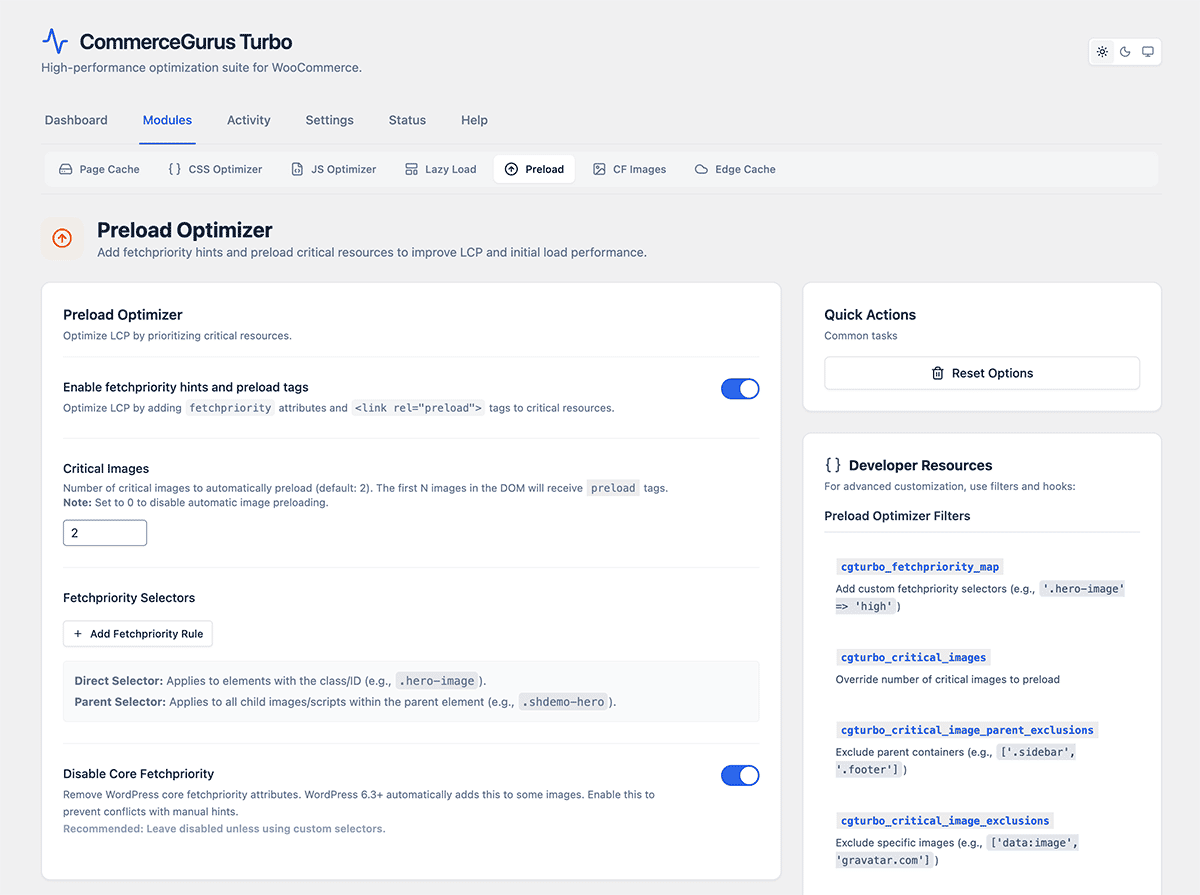
Critical images
- Critical image count – how many of the first images on the page receive fetchpriority=”high”. Default is 2. This tells the browser to prioritize downloading these images above everything else, which directly improves your LCP score.
- Priority selectors – CSS selectors for elements that should always receive high fetch priority. Use this for hero images, featured product images, or your site logo if they’re not captured by the critical image count.
- Disable WordPress fetch priority – enabled by default. WordPress 6.3+ adds its own fetchpriority hints, which can conflict with CommerceGurus Turbo’s more targeted approach. Keep this enabled to let CommerceGurus Turbo handle it.
Resource hints
Resource hints let the browser get a head start on loading external resources, shaving valuable milliseconds off load times.
Preconnect
Domains that the browser should establish an early connection to. Add domains for external resources your pages load, such as fonts.googleapis.com or your CDN domain. This saves time when those resources are eventually requested.
DNS Prefetch
Similar to preconnect but lighter. The browser resolves the DNS for these domains in advance. Use this for third-party domains that appear on some pages but not all.
Speculative loading
This is a cutting-edge feature. If you’re running WordPress 6.8 or later, CommerceGurus Turbo can use the Speculation Rules API to preload or prerender pages that the visitor is likely to navigate to next – making page transitions feel almost instant. It’s like having the next page ready and waiting before your visitor even clicks.
Mode:
- Prerender (default) – fully renders the next page in the background, so navigation for your users is near-instant.
- Prefetch – downloads the next page’s resources but doesn’t render them. Lighter on resources than prerender.
Eagerness:
This controls how aggressively pages are preloaded.
- Conservative – only prerenders when the user is very likely to navigate (e.g. hovering over a link)
- Moderate (default) – a balanced approach
- Eager – prerenders more aggressively