When you set Delay JS to Use Curated Exclusions, CommerceGurus Turbo switches to Conservative Mode – a safer approach that automatically protects scripts from 85+ popular plugins and themes while still delaying everything else.
This is the best starting point if you’ve had issues with “Delay All Scripts” mode, or if you’d rather err on the side of compatibility.
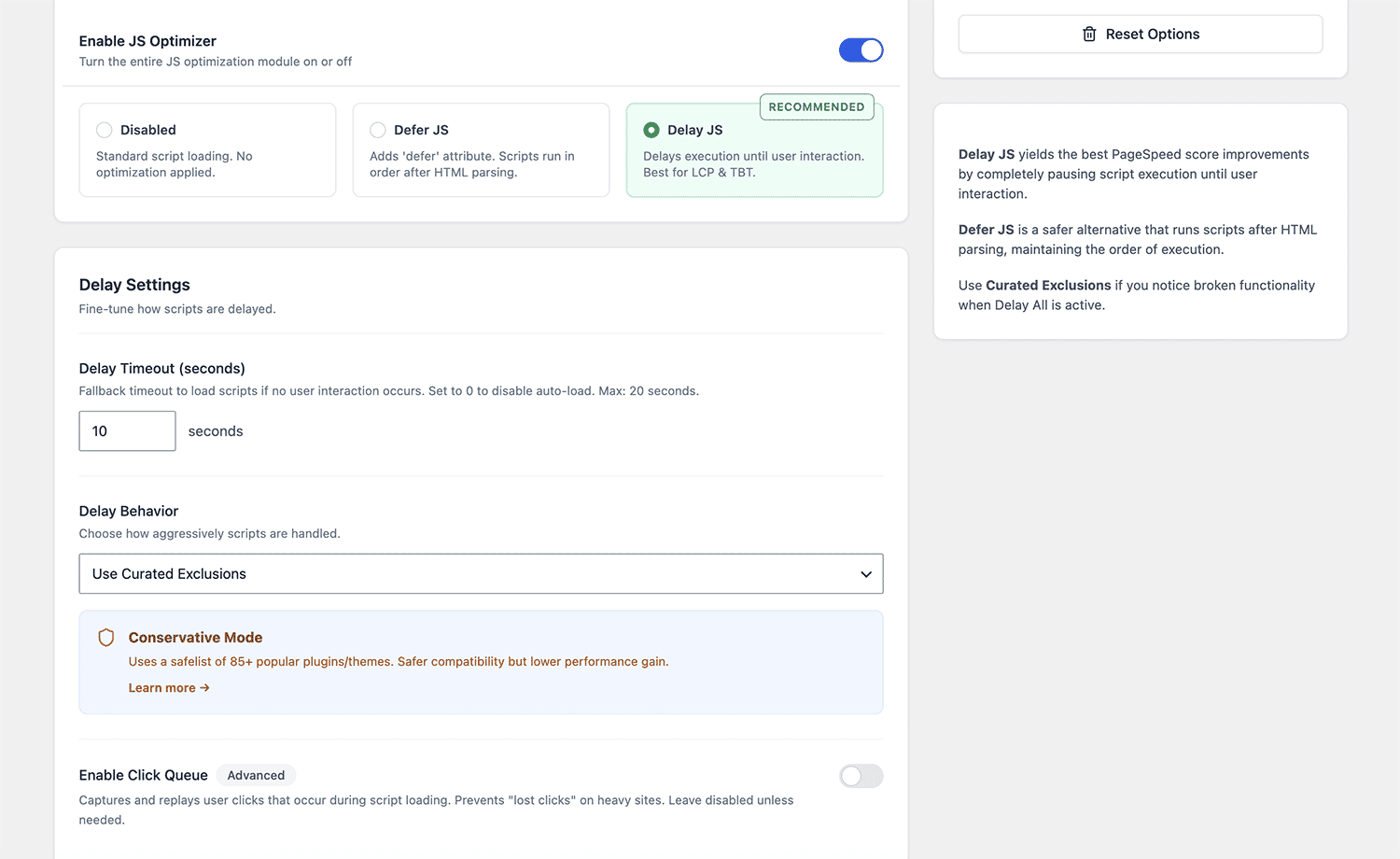
Go to WooCommerce > CommerceGurus Turbo > Modules > JS Optimizer and select Use Curated Exclusions from the Delay Behavior dropdown.
How it works
In “Delay All Scripts” mode, CommerceGurus Turbo delays everything except critical security scripts (like Captcha and Cloudflare Turnstile). This gives you the best PageSpeed scores but can occasionally cause problems with plugins that need their scripts to run straight away.
Conservative Mode works differently. It keeps a curated safelist of scripts known to cause issues when delayed, and excludes them automatically. Everything else is still delayed, so you still get a solid performance boost, just with a wider safety net underneath.
What’s on the safelist:
The safelist covers seven categories:
WooCommerce Core: cart fragments, checkout scripts, add-to-cart, variable product selectors, product gallery (Flexslider, PhotoSwipe, zoom), and all wc-*.js scripts. These are essential for product pages and cart functionality to work correctly.
Payment Gateways: Stripe, PayPal, Klarna, Braintree, Afterpay, Apple Pay, Google Pay, Square, Authorize.net, and Amazon Pay. Payment scripts need to load immediately – delaying them will break checkout.
Form Plugins: WPForms, Gravity Forms, Contact Form 7, Fluent Forms, and Ninja Forms. These need their scripts available for validation and submission to work.
Cookie Consent: CookieYes, Complianz, Cookie Notice, Borlabs Cookie, and GDPR Cookie Compliance. These need to load early to respect visitor choices and stay compliant with privacy laws.
Page Builders: core Elementor and Divi frontend scripts. Required for interactive page builder elements to function.
jQuery: jquery.min.js and jquery-migrate.min.js. A large number of WordPress themes and plugins depend on jQuery being available immediately. Conservative Mode keeps jQuery excluded by default.
Security and Captcha: Google reCAPTCHA, hCaptcha, and Cloudflare Turnstile. These are also protected in “Delay All Scripts” mode, so they’re always excluded regardless of which setting you use.
When to use Conservative Mode
- You switched from “Delay All Scripts” and something broke
- You run several third-party plugins and want to reduce the risk of conflicts
- You’re setting up Turbo for a client and want a safe starting point
- You’d rather trade a few PageSpeed points for less troubleshooting
When to use Delay All Scripts instead
- You want the best possible PageSpeed scores
- Your store has a fairly simple plugin stack
- You’re comfortable adding manual exclusions if something breaks
- You’ve tested everything and it all works
Adding custom exclusions
Even in Conservative Mode, you may occasionally need to exclude an extra script. Use the Custom Exclusions field below the Delay Behavior dropdown to add script URLs or handle names that should load immediately.
If something isn’t displaying correctly, open your browser’s developer tools and check the console for JavaScript errors after the page loads.
Extending the safelist with custom code
Developers can add entries to the curated safelist using the cgturbo_js_curated_exclusions filter:
add_filter( 'cgturbo_js_curated_exclusions', function( $categories ) {
    $categories['custom'] = array(
        'my-critical-script.js',
        'another-important-plugin',
    );
    return $categories;
} );
This adds a new category to the safelist, respected in both Conservative Mode and when building exclusions for Defer JS.